
nugs
nugs.netMusic & Audio
4.72.00K Reviews
- Version
- Varies With Device
- Installs
- 500.00K
- Age Rating
- Everyone
Screenshots

Our Review of nugs
 Analysis by Appyee
At home, live music often means negotiating the volume, the speaker, and what everyone else wants to hear. I like that nugs.net gives a concert-minded listener a more focused place to explore, while still being simple enough to put on during dinner prep or a quiet evening. It is a music and audio app from nugs.net, and its appeal is clearest when you want the sound and shape of a real performance rather than another shuffled mix of studio tracks.
Discovering the Magic of Live Music
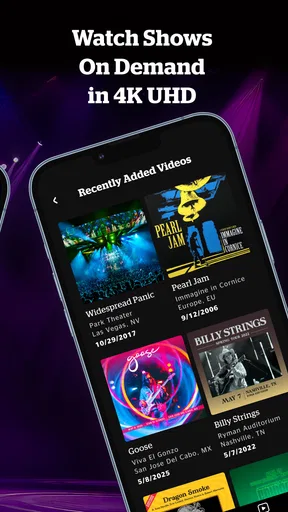
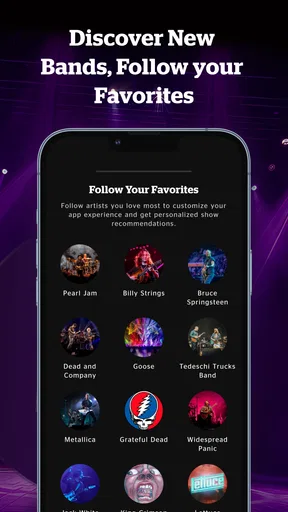
With nugs.net, you're essentially getting a backstage pass to some of the most amazing live performances across various genres. From rock and jam bands to country and more, the app boasts an impressive collection of live concerts and recordings. It's like having a digital library of live music that you can access anytime, anywhere.
An Interface That Invites Exploration
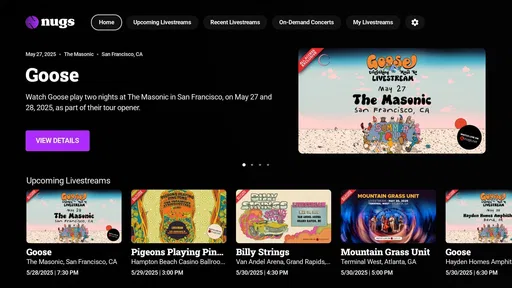
The first thing that struck me was how user-friendly the interface is. Navigating through the app is a breeze. The main screen showcases featured concerts, new additions, and trending shows, making it easy to find something that piques your interest. I found myself scrolling through different artists and concerts, getting lost in the sea of music options.
Making It Work on a Shared Device
A shared tablet or household speaker can make live recordings an easy group activity: one person can pick a familiar band, while someone else chooses a show they have never heard. I would treat the app as a shared listening destination, not assume that one household login gives everyone separate histories or preferences. If several people use the same device, agreeing on whose account is active before browsing or saving anything avoids confusion later.
For a low-effort evening, I would choose a concert recording before starting dinner, check the setlist to see whether it suits the room, and let it play while everyone is occupied. That is a different kind of background listening from a playlist: the order and pacing belong to a particular performance, so a quieter stretch or a long instrumental passage may be part of the experience. If the room needs unobtrusive music, a conventional playlist is easier to control; if people want to listen together, the concert format gives them something to follow.
Quality That Hits the Right Note
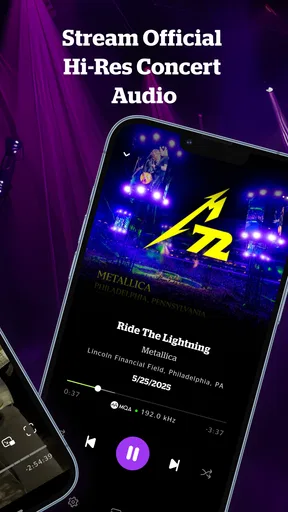
Now, let’s talk about the sound quality. It’s one thing to listen to a live concert, but it’s another to feel like you’re actually there. The audio quality on the app is top-notch. Whether you’re listening through headphones or blasting it on a speaker, the sound is crisp and clear, capturing the essence of a live performance.
One practical distinction is that a live recording is not always the best choice for every moment. Crowd noise, changing dynamics, and the natural gaps between songs are part of what makes a concert feel real, but they can be distracting if you are trying to concentrate or need steady background sound. I would use headphones when I want to notice those details, and a speaker when the point is to share the energy rather than analyze the performance.
Features That Stand Out
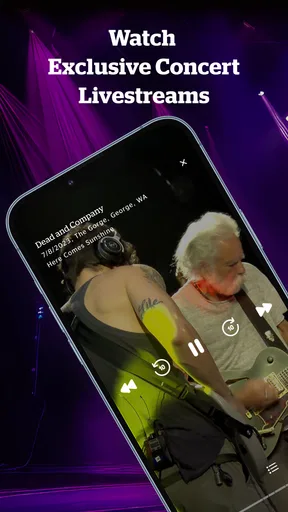
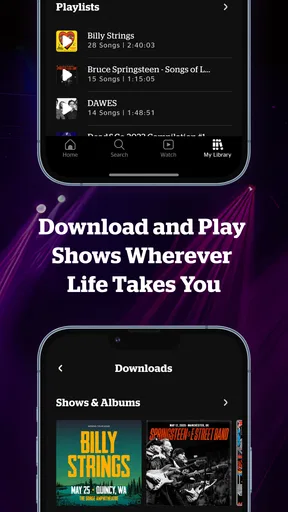
One of the coolest features is the ability to stream both audio and video recordings. You can watch concerts as if you’re front row at the venue. Plus, the app offers offline downloads, which is perfect for those times when you’re without internet but craving some live tunes.
Offline listening is most useful when planned rather than improvised. Before a commute, a trip, or a stretch of unreliable connectivity, I would choose a show while online and make sure it has finished downloading. That simple habit makes the app more dependable away from home. Video is better suited to a stable connection and a screen you can actually watch; audio is the more practical option for chores, travel, or listening while your phone stays in your pocket.
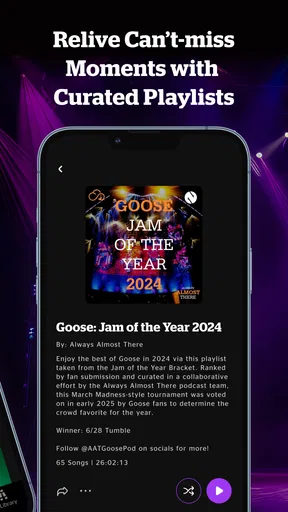
Another neat feature is the setlist view. You can see the entire setlist of a concert, which is a fantastic way to discover new songs and artists. It also adds a layer of engagement, almost like being part of the concert planning process.
The setlist can also help decide whether to commit to a full performance. I use it as a preview of the concert’s shape: a few recognizable songs may make a show a good shared pick, while unfamiliar material can be exactly the reason to try it when listening alone. For discovering music, this is a more deliberate route than a recommendation feed, because the songs remain connected to the show they came from rather than being separated into a generic sequence.
Accounts, Cost, and Household Boundaries
For a household, the useful question is less “Can everyone press play?” and more “Who is choosing and managing what gets played?” I would keep account access with the person responsible for the subscription and purchases, especially on a device used by children or guests. The app is free to install, but it also offers in-app purchases, with listed items ranging from $2.99 to $279.99, so it is sensible to review purchase prompts and account settings before handing a device over.
I would not treat the app as a family-management tool or assume it includes separate household profiles. Instead, set a simple boundary: an adult handles account decisions, while other listeners can suggest artists or shows. That arrangement is especially helpful if a shared device is also used for other apps, since it keeps music choices from becoming tangled with billing or personal account access.
Age and Trust
The app is rated for Everyone, which makes it broadly suitable as an app for different ages to use in a household. Still, a general age rating is not a promise that every performance will match every family’s taste. I would choose the artist and concert myself when younger listeners are involved, then listen together rather than leaving an unfamiliar video playing unattended. That is a practical listening choice, not a reason to avoid the app.
For adults who share music with teenagers, the strongest use is often conversation: compare versions of a song, notice how a crowd responds, or use the setlist to follow an artist’s choices across a performance. For a young listener who only wants a familiar studio track on demand, this catalog may feel less direct than a mainstream music service. The live context is the point, but it also asks for more attention and patience.
Why You Might Love It
If you’re someone who thrives on the energy of live performances, this app is a must-have. It’s perfect for music lovers who want to relive their favorite concerts or discover new artists in a live setting. The vast array of genres means there’s something for everyone.
Its audience is more specific than that of an all-purpose music service. A broad streaming platform is usually the better choice if you mainly want studio albums, radio-style discovery, or a quick playlist for every mood. This app makes more sense when you deliberately seek out performances, want to compare how a band plays songs live, or enjoy hearing the flow of an entire show. The trade-off is focus: a live-music library can be compelling without replacing a general catalog for every person in the home.
Room for Improvement?
While the app is generally fantastic, there are a couple of areas where it could improve. For instance, some users might find the subscription fee a bit steep, especially if they’re only interested in specific artists. Additionally, while the library is extensive, it doesn’t have every artist or every concert ever recorded, which might be a bummer for some.
That makes a little browsing worthwhile before committing to regular use. If you follow only one artist, search for that artist and see whether the available performances are enough to keep you interested. If your tastes change from day to day, the breadth of the catalog matters more. The overall rating is 4.6 from around 7,000 ratings, and the app has more than 500,000 installs; those figures suggest an established audience, but they do not remove the need to decide whether its particular live-performance focus suits you.
There is also a choice between watching and listening that depends on the setting. Video can make a concert feel more immediate, but it asks for your attention and a screen; audio fits more naturally into a commute or household routine. I would not choose video just because it is available. If the room is busy, audio is often the better way to enjoy a full set without turning the phone into the center of the evening.
The app has been available since November 9, 2015, and carries an Everyone age rating. It is free to install, while in-app purchases range from $2.99 to $279.99 per item. I would look at the specific purchase or subscription details shown in the app before spending, especially if you are trying it for one artist or sharing a device. The distinction between trying the app and paying for ongoing access is worth keeping clear in a household budget.
But hey, no app is perfect, right? The pros definitely outweigh the cons, especially if you’re a live music aficionado.
My Final Take
All in all, nugs.net is a fantastic app for anyone who loves live music. It’s like having a concert in your pocket, accessible at any time. Whether you’re a die-hard fan of a specific band or someone who just enjoys the vibe of live performances, this app is worth checking out.
For a household, I would recommend it when at least one person genuinely seeks out concert recordings and is happy to guide shared listening. It is less compelling as the only music app for a group with very different tastes, or for someone who wants a lightweight stream of studio hits without concert-length performances. A good first test is to find a familiar artist, inspect a setlist, and try audio at home before deciding whether video or offline listening fits your routine.
So, the next time you’re craving the thrill of a concert, grab your headphones and dive into the world of nugs.net. You won’t be disappointed.
Verdict
Strengths of nugs
- User-friendly interface enhances navigation.
- High-quality video and audio streaming.
- Wide variety of live concert recordings.
- Offline listening available for convenience.
- Regular updates with new content.
Limitations of nugs
- Limited free content without subscription.
- Requires stable internet for smooth streaming.
- Not all artists are available.
- Some concerts lack video versions.
- Subscription can be pricey for casual users.
Other Releases by nugs.net
View All
LivePhish
Music & Audio4.8
Similar Picks in This Category
View All
YouTube Music
Google LLC4.4

Samsung Music
Samsung Electronics Co., Ltd.3.8

Spotify: Music and Podcasts
Spotify AB4.3

JioSaavn - Music & Podcasts
Saavn Media Limited4.3

Lark Player:Music Player & MP3
Lark Player Studio - Music, MP3 & Video Player4.6

StarMaker: Sing Karaoke Songs
SKYWORK AI PTE. LTD.4.3
Frequently Asked Questions
What is nugs.net and what does it offer?
Nugs.net is a music streaming app that specializes in live concert recordings. It offers a vast library of live performances from popular bands and artists, allowing users to experience concerts from the comfort of their devices. The app includes both audio and video formats, catering to music enthusiasts who appreciate live music experiences.
Is there a subscription fee for using nugs.net?
Yes, nugs.net operates on a subscription model. It offers different plans, allowing users to access its library of live recordings. There is a free trial available for new users, which provides a glimpse into the service before committing to a paid subscription. Pricing may vary based on the selected plan and features.
Can I download content from nugs.net for offline listening?
Yes, nugs.net allows users to download content for offline listening, a useful feature for those who want to enjoy music without an internet connection. This is especially beneficial for travelers or users in areas with limited connectivity. However, offline access is typically available only for subscribers.
What devices are compatible with nugs.net?
Nugs.net is available on multiple platforms, including Android and iOS devices. Additionally, it supports desktop streaming through web browsers and has compatibility with various smart TVs and streaming devices. This wide range of compatibility ensures users can enjoy their favorite live performances on any device.
Does nugs.net offer exclusive content, and how often is it updated?
Nugs.net is known for offering exclusive live recordings and archival content not available on other streaming platforms. The app frequently updates its library with new concerts, ensuring a fresh and dynamic selection for users. This makes it an attractive option for fans who want access to unique and rare live performances.
